
Florida VINE Has Local Fields
VINELink serves Florida as a custody-status and alert service. Someone worried about a person in custody can check whether a name appears in a participating county jail or in the Florida Department of Corrections feed. From there, they can register for alerts whenever custody changes. One caution matters, though. It is not a statewide arrest log, and it never claims to be. A county booking record starts the moment a local jail processes an arrest, while VINE simply follows that person through whichever systems feed it data. Timing, labels, and depth of detail can all differ between the two.
How far does the program reach? Florida Department of Corrections materials, including a 2018-19 annual report, describe VINE coverage across all 67 county jails plus FDC. Treat that document as evidence of the program's design rather than a live status map. For an actual check on available Florida records, the current selector at VINELink is the working tool. Official Florida victim-services materials outline the same program and its alert paths.
Recent arrests raise questions VINE cannot always answer. The system reports custody status and sends alerts from participating sources, nothing more. It does not reproduce every arrest report or booking photo. Charge amendments and court outcomes sit outside its scope. A person can walk out of county custody while the case is still open in court, and that court update may never surface as a VINE event. So use each source for the record it truly keeps.
The live Florida search and registration screen is where every check begins. The county selection matters more than it looks. Local agencies send different fields and refresh at different speeds, so two counties rarely tell the story the same way.

Use the live screen for current options. Do not treat the older annual report as proof that every connection is online now.
Search a Florida Custody Record
Start with a name. Add an agency number if one is known. The available fields depend on whether the record comes from a county jail or FDC. Common names return multiple people. Read the full result and compare lawful identifiers before opening a record or setting an alert.
- Open VINELink and choose Florida from the state selector.
- Enter a surname first, then add a first name or the available booking, inmate, or corrections number to narrow the list.
- Compare the displayed agency, facility, age or other available details. Do not choose a match by name alone.
- Open the likely record and read its current custody status before deciding whether to register for an alert.
When several people share a name, rely only on details the source itself shows. A booking number or corrections identifier beats a guess. A result is a possible match, not identity proof.
If a county filter exists, narrow the search after checking where the person was likely held. Know the county? The Florida statewide arrest source map routes you to local jail sources. A matching VINE entry should still be confirmed with the named agency. Do that whenever identity or status is uncertain.
Note: Search only the details needed to tell records apart, and avoid sharing a person’s custody identifiers in public posts.
Fields in a Florida VINE Result
A VINE result is a custody snapshot. Fields depend on the sending agency and shift as the person moves between local and state custody. The booking photo, full arrest report, and final court outcome may all be missing.
| Field | What it can tell you |
|---|---|
| Name and identifier | Whether the result may match the person searched; compare more than a name. |
| Custody status | Whether the feed shows the person in custody, released, transferred, or in another listed status. |
| Facility or agency | Which participating county or state system is reporting the custody record. |
| Change or event detail | A recent release, transfer, escape, court movement, or other event when that source sends it. |
| Alert registration | Whether the interface offers a way to register a phone or email for later custody events. |
Status labels are not case outcomes. "Released" marks a custody event at one source. It says nothing about dropped charges. "Transferred" means custody moved, though the next agency's update time may not appear. Out-to-court movements look similar. Read the agency and date too, and use a clerk's case record for disposition.
Fields vary by result. A county's own booking page may show a booking date, charge text, bond amount, or photo that VINE lacks. State prison and supervision records differ from county jail bookings as well. FDC's official offender search is a separate check for people in state custody or supervision. It is not a fresh-arrest roster.
Note: A custody status can change before every public portal refreshes, so retain the agency name and time shown with the result.
Register for Florida Release Alerts
Alert registration is free and separate from searching. VINELink lets you add a phone number or email address when a record offers alerts. Phone signups use a four-digit PIN under Florida VINE instructions. Keep that PIN private. It manages the registration. Register each number separately if more than one phone should get a call.
- Open the matching custody record and select its notification or registration option.
- Choose the contact method the screen offers, then enter a phone number or email address that can receive a notice.
- For a phone, create or enter the four-digit PIN requested by the system. Follow any confirmation prompt on screen or by phone.
- Save the confirmation details and check the registration later if the contact method changes.
Alert coverage varies by feed. Depending on the county or FDC source, events may include release, transfer, escape, death, or court movement. Menus differ by record. A notification is an added notice, not a guarantee that a call or email arrives before the event.
FDC Victim Services and VINE
Florida gives victims two ways into the alert system. FDC's Victim Services form and a direct VINELink sign-up are separate channels. FDC explains that its form can add a registrant to the department's victim-notification database. It can add that person to VINE when requested. A direct VINELink registration is not shared with FDC Victim Services. Want FDC-specific contact? Use the department's own instructions. The FDC Victim Services and VINE page sets out both registration options. It also keeps the FDC contact path distinct from the statewide custody alert service.
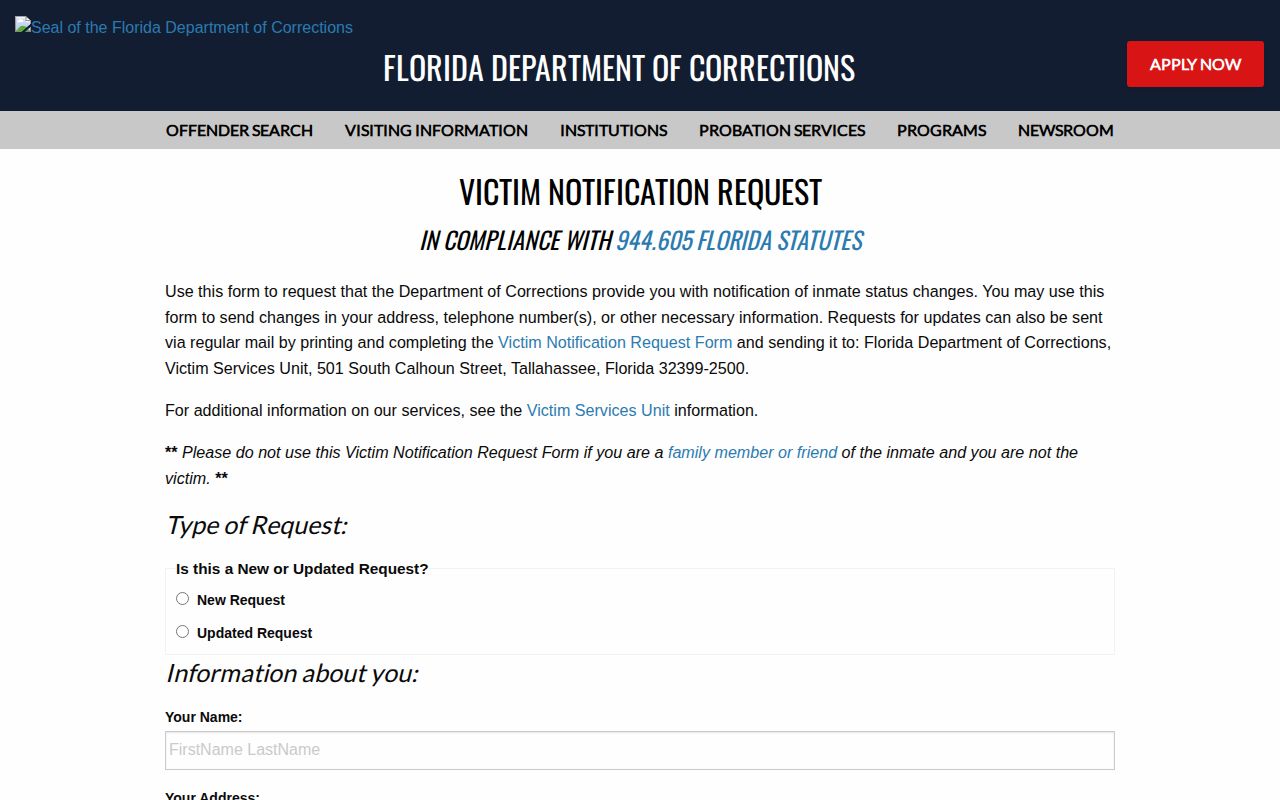
Pick the registration path matching the agency holding the record. Read both confirmations if you sign up with both services. VINE is not a personal safety plan. An immediate threat calls for local law enforcement or emergency services. It does not call for a custody alert.
Florida VINE Coverage Across Counties
Florida's VINE program covers county jails and FDC. Still, the experience stays local. Each county feeds its own custody data and status changes. One facility may use different terms. It may expose different search keys, or send updates on its own schedule. A county page without a public roster does not put its jail outside VINE. Official deployment materials describe statewide county-jail coverage. The live state selector shows what is searchable now. The 2018-19 FDC annual report is history, not a status feed. No official source offers a live vendor map.
The Florida VINE guide gives statewide instructions for search and registration. The local system still controls which fields and events appear for a record. Local tools can sit beside the statewide feed. Walton County announced a local notification-system launch in February 2026. That notice describes a county service, not proof another county opted out of VINE. Check the selector and the county source for your record.
The difference matters after a move from county jail to state custody. The county entry may close. FDC's record then appears through its own feed. The original arrest record and the later custody record stay separate parts of the case history. Statewide coverage is a baseline, not a promise. A new arrest does not instantly appear in search. County intake, transfer, classification, and feed updates can each take time. If the person later enters FDC custody, the state record may show up after the county entry closes. One registration never covers the other path. Keep the confirmation details current, and make sure the contact method on file still works.
When a Florida Arrest Is Missing
VINE can lag behind a fresh booking. Transfers, releases, and corrections take time too. Someone may go free before any record appears. He might sit in a neighboring county, be entered under a different spelling, or be shielded from public display. A "no result" means the record was not in that view. It does not prove no arrest occurred. For a recent booking, compare the result with the county's own current source. The Daily Arrest Report covers Florida's same-day posting landscape. For a formal record, ask the holding agency for the exact booking or release entry.
Every result answers one question at a time. Confirm arrest, custody, and case details with the agency or court that holds each record. That source decides what the answer means.