
Florida Same-Day Arrests
Florida books arrests through 67 separate county systems. No single feed collects them all. A city officer, a sheriff's deputy, or a state trooper can make the arrest, yet the booking record lives where the person gets processed. So a search for Florida recent arrests in the last 24 hours really means checking county by county.
"Last 24 hours" itself is slippery. One portal treats it as a date search. Another shows only who is in custody right now. A live roster answers the custody question but can miss someone booked and released within hours, while a recent-booking page keeps that event visible. Fresh entries also lag a bit as paperwork closes and data syncs. The statewide source map sorts out which county pages are official feeds, which show booking photos, and which offer other arrest record paths.
Important: A booking entry is a custody record with the charge wording entered at arrest. That wording can change or be dropped later.
Florida Booking View Fields
County systems expose different fields, so no statewide list can promise what a visitor will see. A public entry may include a name, booking date or time, arresting agency, charge wording, bond information, custody status, and a booking image when the county chooses to show one. Some portals focus on people in custody; others include released people or let a visitor set a date range. A listed charge is the label entered during the booking process, not a court outcome.
| Field | What it can show |
|---|---|
| Name and identifier | The name as entered by the agency and, where displayed, a booking or jail number. |
| Booking date | When the county system records intake; it may differ from the time of the initial arrest. |
| Agency and charge | The arresting agency and the charge entered at booking, subject to later correction or court action. |
| Custody and bond | A current status or bond field where the portal provides it; neither field is a final case result. |
| Photo | An official booking image only when the county system permits public display for that record. |
Blank fields happen. Portals redact or omit entries because of system limits, protected status, or a sync delay, so a missing mugshot does not prove the county never took one. When a detail matters, keep the source and the date, then confirm the arrest record with the office that holds it.
How to Check Florida Arrests Today
Begin with where the arrest was booked. That matters. A person can be arrested by one city's police and held in a different county's jail, so a patrol incident feed is not the booking record. The official state county-jail directory points to sheriff, jail, and clerk systems, and each county's date and custody labels tell the rest.
- Identify the likely county. Use the arrest location or the agency named in a public report. If the location is uncertain, check nearby counties rather than assuming a city has its own jail roster.
- Open the county’s official search. Use the Florida County Directory to reach that locality’s site, then follow its sheriff, jail, or clerk link. Look for its stated date range and whether it covers custody or recent bookings.
- Search with more than a surname. Add a first name or a booking identifier when available. Read the booking date, charge text, and status as separate fields; do not treat a name match as proof of identity.
- Check the custodian if the record is absent. Ask the county jail or sheriff’s records office whether a booking is pending, held elsewhere, released, or withheld. A focused public-records request can ask for an existing booking entry or arrest report.
VINE works differently. Florida VINELink lets you register for custody alerts on one person whose status might shift. It will not show every fresh arrest statewide, though. New bookings can also lag before they appear, so pair it with the jail roster for anything time-sensitive.
Note: A no-result search can reflect release, a different booking county, a protected record, or a feed delay.
Florida County Arrest Windows
Florida offers no single same-day arrest service. Each county decides its own search window. The wording you choose changes the meaning of a result. A dated search and a current-custody search answer different questions in the same system. Interfaces get revised. Rely on each portal's own instructions rather than on how it looked before.
| County source | Observed view | Photo or timing note |
|---|---|---|
| Broward Sheriff Arrest Search | Searchable arrest interface with booking details. | Photo appears when the source supplies one. |
| Hillsborough Sheriff Arrest Inquiry | Current and recent adult bookings. | Observed updates near 30 minutes and post-release visibility near 90 days; both can change. |
| Manatee Sheriff Arrest Inquiries | Current and recently released entries. | Photo display follows county and vendor settings. |
| Palm Beach Sheriff Booking Blotter | Date-filtered bookings, agency, charges, and bond. | Photos may appear; access uses an anti-automation check and has no fixed freshness promise. |
| Volusia Clerk booking inquiry | Daily download and search. | A daily or next-day file is not a live roster. |
| Walton inmate inquiry | Current custody with calendar date controls. | Photos may show; dates do not promise a rolling 24-hour window. |
| Washington County inmate roster | Current custody and booking date or time. | Photo links are served through the jail or VINE vendor. |
These county tools differ in reach. A current-custody roster may drop anyone. That includes people released quickly after booking. A dated search can reach further back. Yet it says nothing about who is still held. Treat the scope and photo fields exactly as each county labels them. The examples here are illustrative, not a ranking or a complete inventory.
Florida Booking Photo Differences
Booking photos are handled differently across Florida. One county posts the image right in the arrest record. Another gives you a link to click. A few rosters offer no usable photo at all. The state's county-jail directory can point you toward a local jail. It promises neither pictures nor equal update speed. If an image stays hidden, ask the custodian directly. Ask whether it can be inspected or requested. The Hillsborough County Sheriff's Arrest Inquiry shows how one county presents its current and recent bookings. Its search controls mirror the typical county path, while photo display follows local policy and record status.
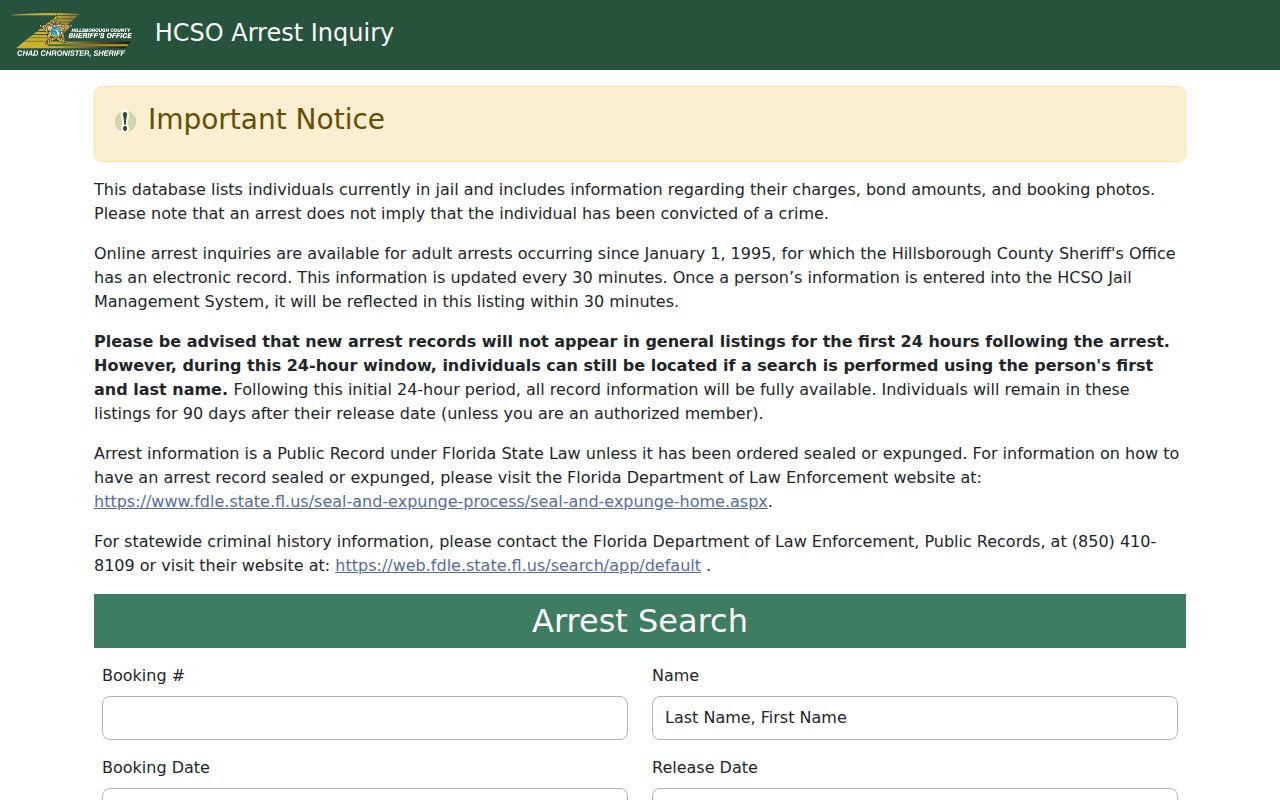
Remember what a search form actually is. It finds arrest records; it does not entitle anyone to a photo, because Florida's exemptions can hide images for a given person or event.
Note: County photo rules differ, and a missing image does not show whether an agency made one.
Florida Daily Booking Files
Not every Florida source runs a live arrest roster. Some release dated batch files instead. The Volusia County Clerk arrest and booking inquiry works this way, offering a daily download plus a search route. That makes it handy for pinning down a dated booking entry. Freshness has a limit, though. Because files arrive on a daily cadence, an arrest that just reached county intake may be missing from the newest available file, and a clerk record covers its own scope rather than full custody status.
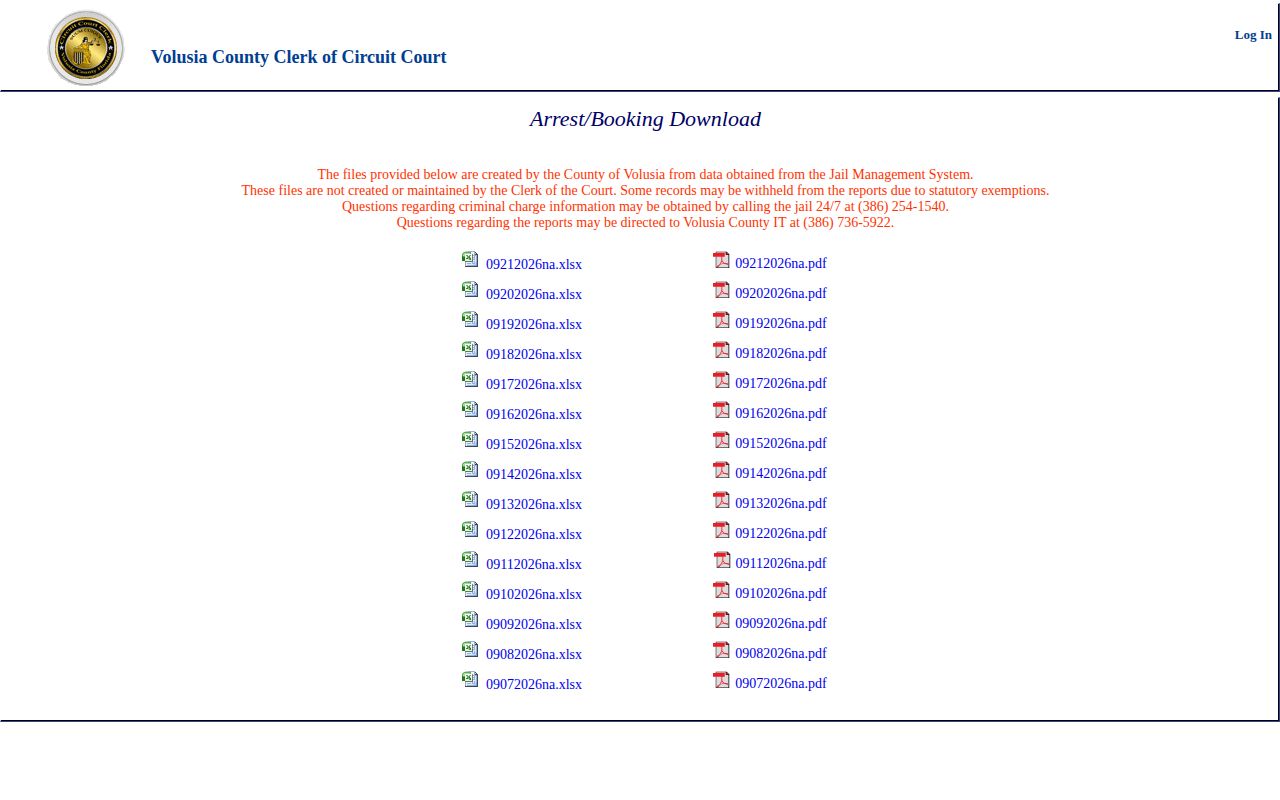
The Volusia example explains a common confusion. "Today" and "posted today" are not the same thing. A download's date might be a record date or a publication date, so line it up against the booking field. When the gap matters, contact the clerk or sheriff for clarity.
Florida Current-Custody Searches
A current-custody search answers one narrow question. Is the person shown in the jail's public system right now? It won't capture everyone arrested that day. Walton County's official New World inmate inquiry is one calendar-based option. It can display current custody along with photos. Its filter controls, though, don't prove any fixed rolling daily window.
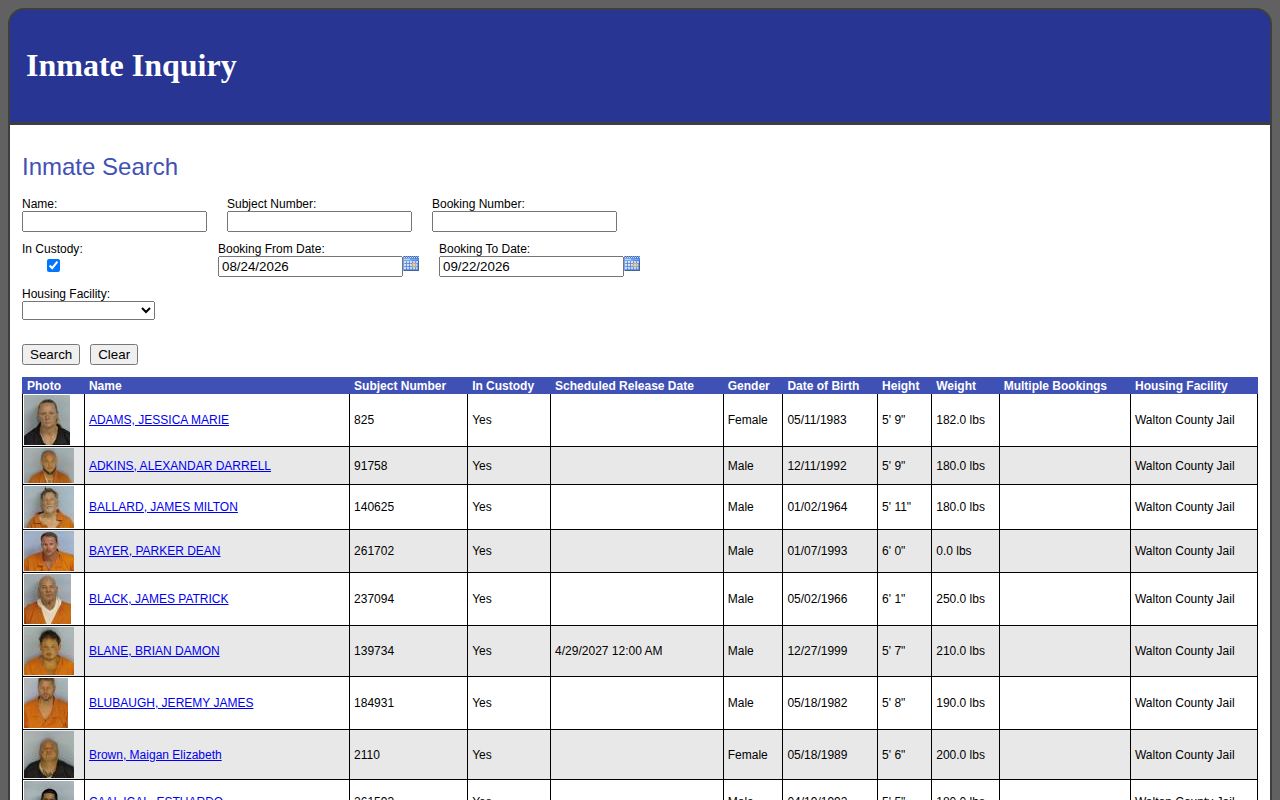
County systems differ on releases. Hillsborough reportedly keeps a short window after release. Others show only people still in custody. Read the labels and status fields before drawing any conclusion. For the wider multi-day view, the Florida Weekly Arrest Log gathers county blotters and activity reports. It also collects older record paths in one place.
Florida Highway Patrol Incidents
The Florida Highway Patrol does have a live feed of sorts. It is not a statewide arrest roster. The traffic and roadway incident interface lets visitors filter by county and view type, dispatch status, location, and remarks. An incident can end in an arrest. A crash entry alone doesn't mean anyone was booked.
FHP's press-release index runs event by event as well. Under Florida Statutes §321.05, a trooper delivers anyone arrested to the county sheriff for further proceedings. That places the booking record in the receiving county's custody system. Treat the FHP feed as context. Verify bookings with the county jail or sheriff. The Florida Highway Patrol arrest-authority material traces that agency-to-county route in detail.
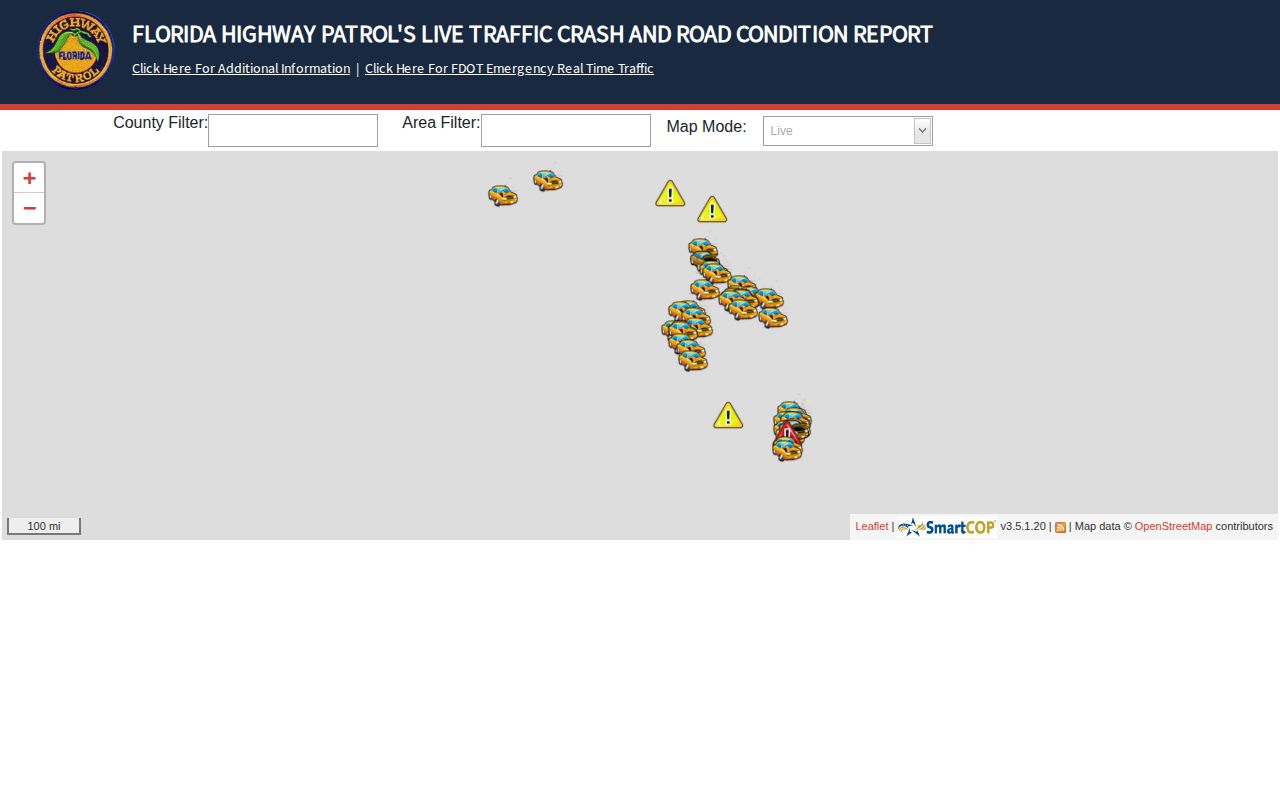
The CAD screen can locate an incident by county. Even so, it won't show every FHP arrest, and it can't replace a county booking lookup.
Note: A live incident entry is not proof that a person was arrested, booked, or charged.
Florida Arrest Posting Delays
A booking can be real long before it appears online. Intake has to finish. Vendors may need time to sync. Counties may also publish on a schedule rather than field by field. Someone can even be released. It can happen before anyone checks the public custody page. Records get delayed, corrected, withheld, or left out entirely. That happens when a county won't publish that category. An empty search, in short, proves nothing about whether an arrest occurred.
Verify a fresh event: Start with the official county roster or a dated booking view. Contact that sheriff or jail records custodian if the entry is missing. Ask whether the person was booked there. Ask about release, transfer, or a different identifier. Want a document rather than current status? Make a narrow request for the booking entry, arrest affidavit, or release record.
Florida sets no single completion time for these requests. State the agency, county, date range, identifier, record type, and format, and ask for the non-exempt portions. Keep any estimate. The Florida Attorney General's Open Government FAQ explains the framework, and a roster, a records request, and a court search each answer a different question.
Florida Arrests and Court Outcomes
A booking charge is simply what intake records at the start. Prosecutors can alter the charges or drop them. A roster is only a custody snapshot. Someone may drop off the list after release. The booking record stays with the county, so check the court record for the later outcome. Ask the custodian for the underlying document when a roster view runs too thin. Keep each search tied to one record question at a time. Florida's official interfaces vary county by county. The coverage is uneven by design. The habit that pays off is simple. Keep the source, the date, and the status attached to every claim.